A first-hand audit of the U-Haul Van share mobile app vehicle pick-up, identifying critical usability barriers and strategic recommendations.
ROLE
UX Research
CLIENT
U-Haul Van Share Division
EXECUTIVE SUMMARY
A promising concept held back by a poor execution.
U-Haul’s Vanshare app represents a meaningful step toward contactless, self-service vehicle rental. However, a live audit of the pickup experience revealed a product launched before it was ready, with the process spanning 18 minutes and 8+ steps, critical safety gaps, an overly complex identity verification flow.
The findings below represent actionable opportunities to reduce customer effort, improve safety, modernize authentication, and build trust, transforming what could be a genuine competitive differentiator into one that currently undermines it.
OBSERVATIONS
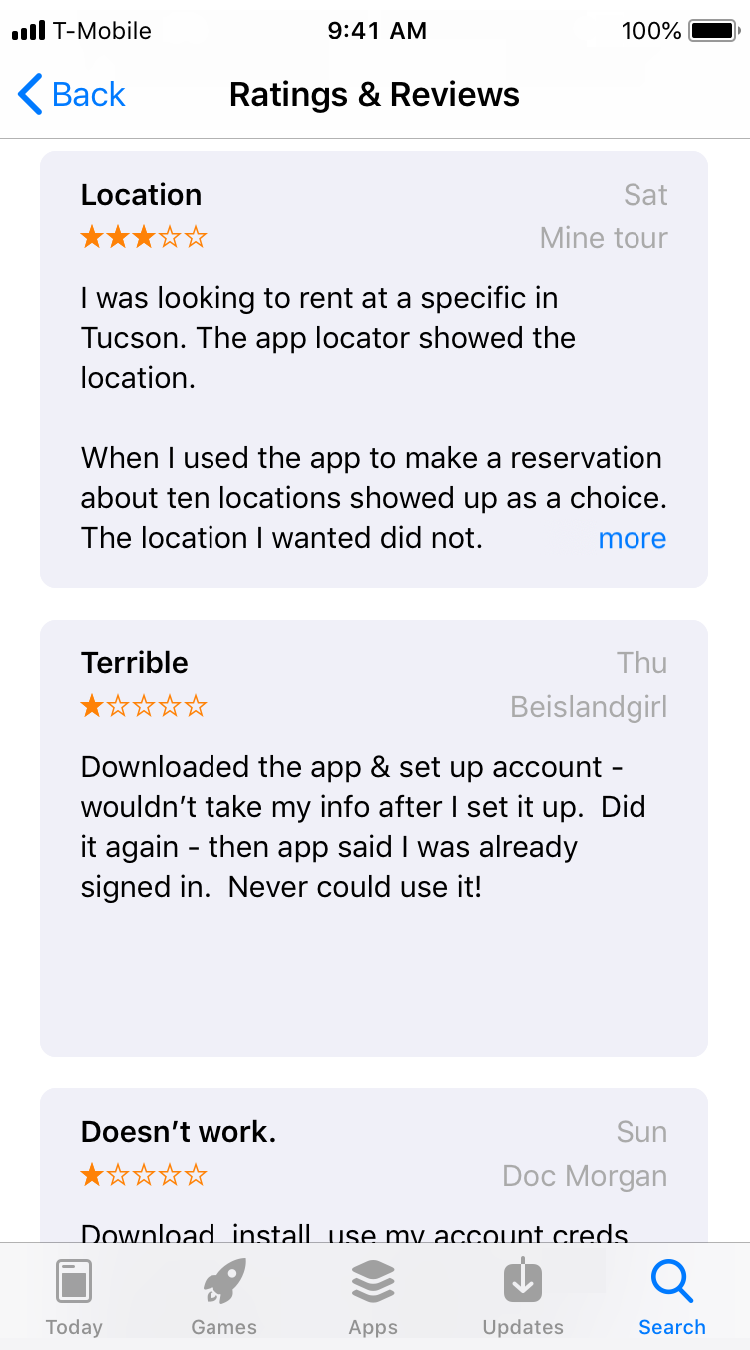
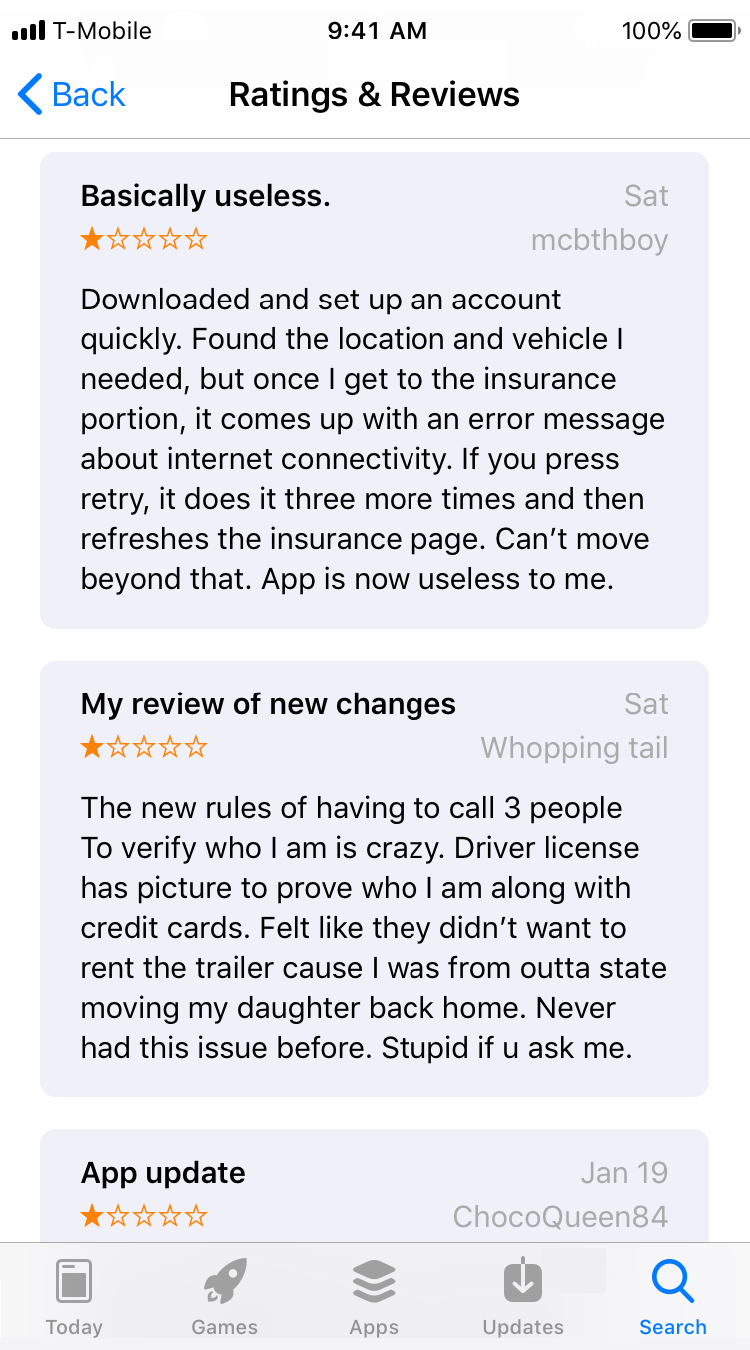
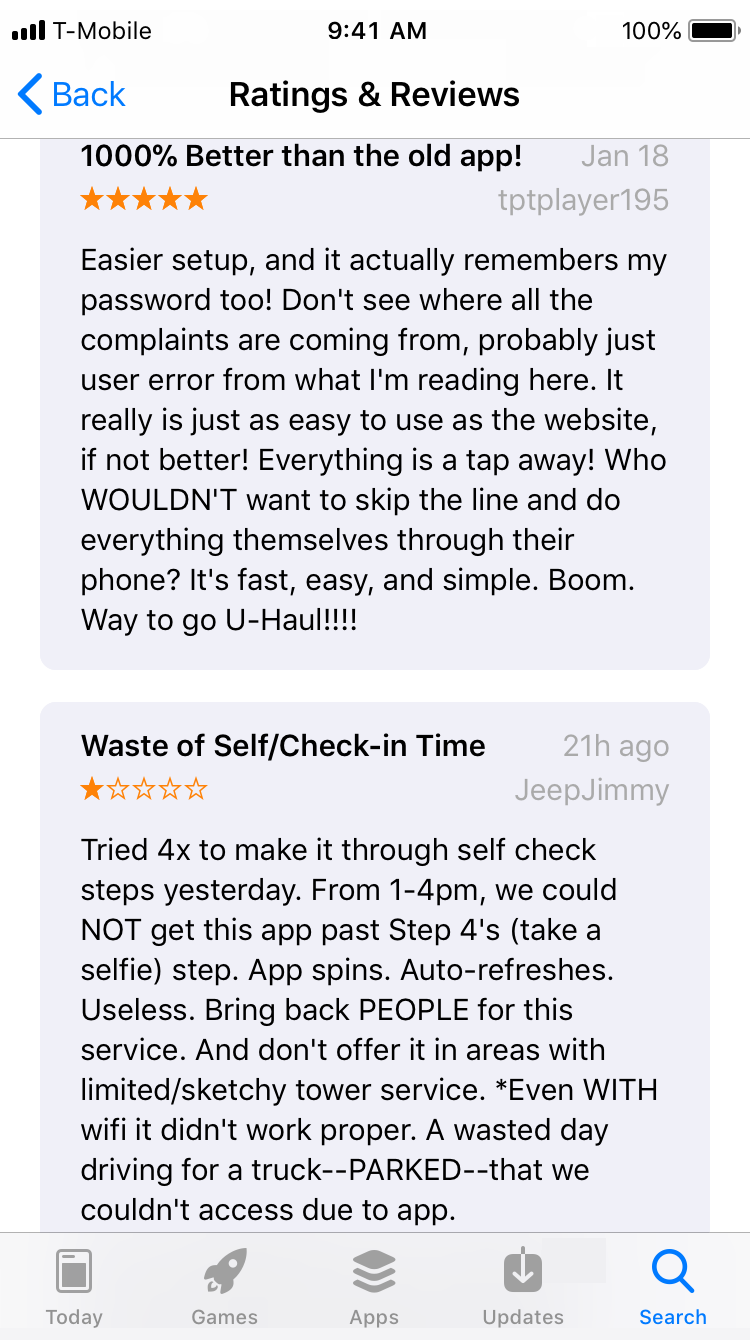
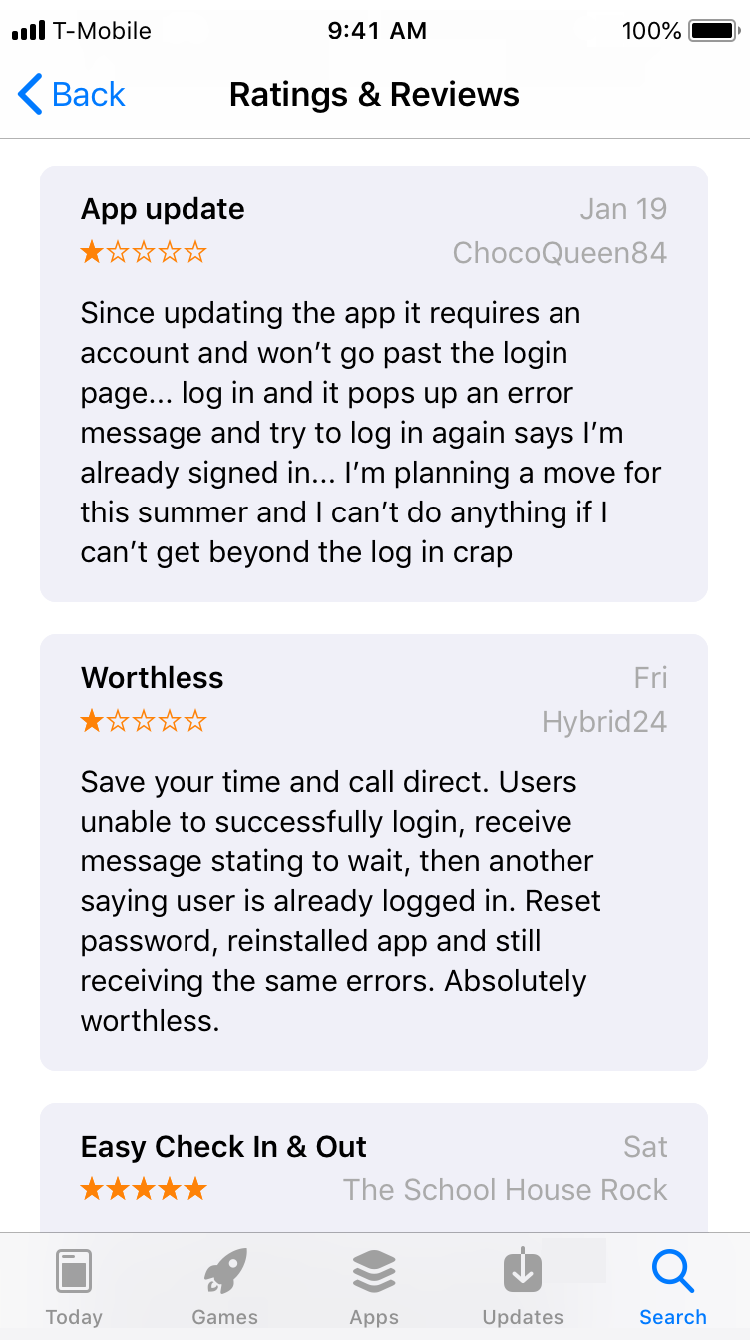
App appears to not be fully tested before releasing an upgrade.
Comments left on Apple’s app store from several days before the audit.
USER JOURNEY AUDIT
Pick-up flow: Step by step.
A detailed walkthrough of every screen and interaction encountered during the live audit, flagging where friction, confusion, or delay occurred.
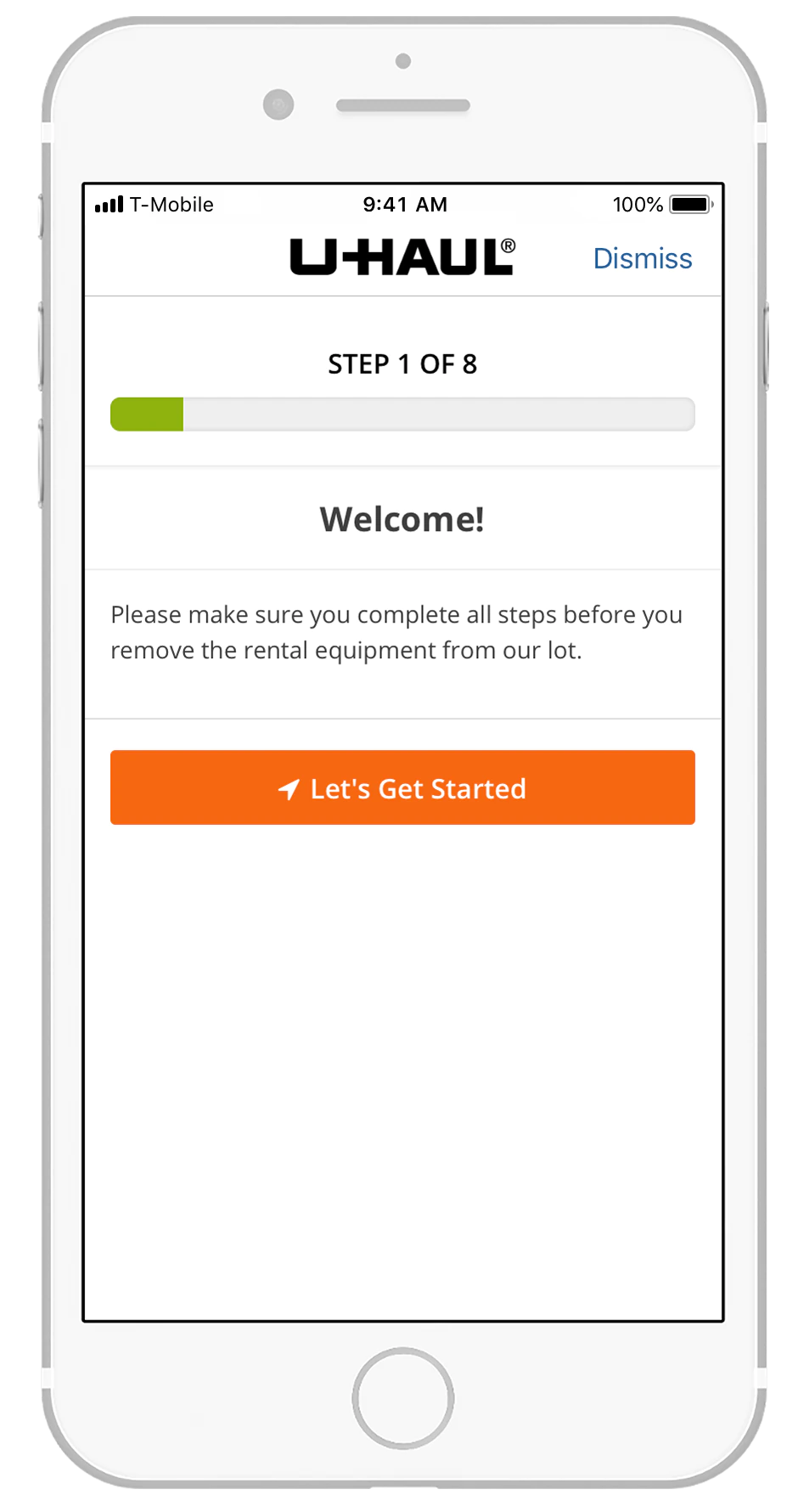
Step 1: Welcome Screen
Description
The customer launches the native app and is presented with a welcome screen prompting them to begin the pick‑up process.
Feedback
The steps completion bar provides helpful visibility into progress.
Recommendation
No changes recommended.
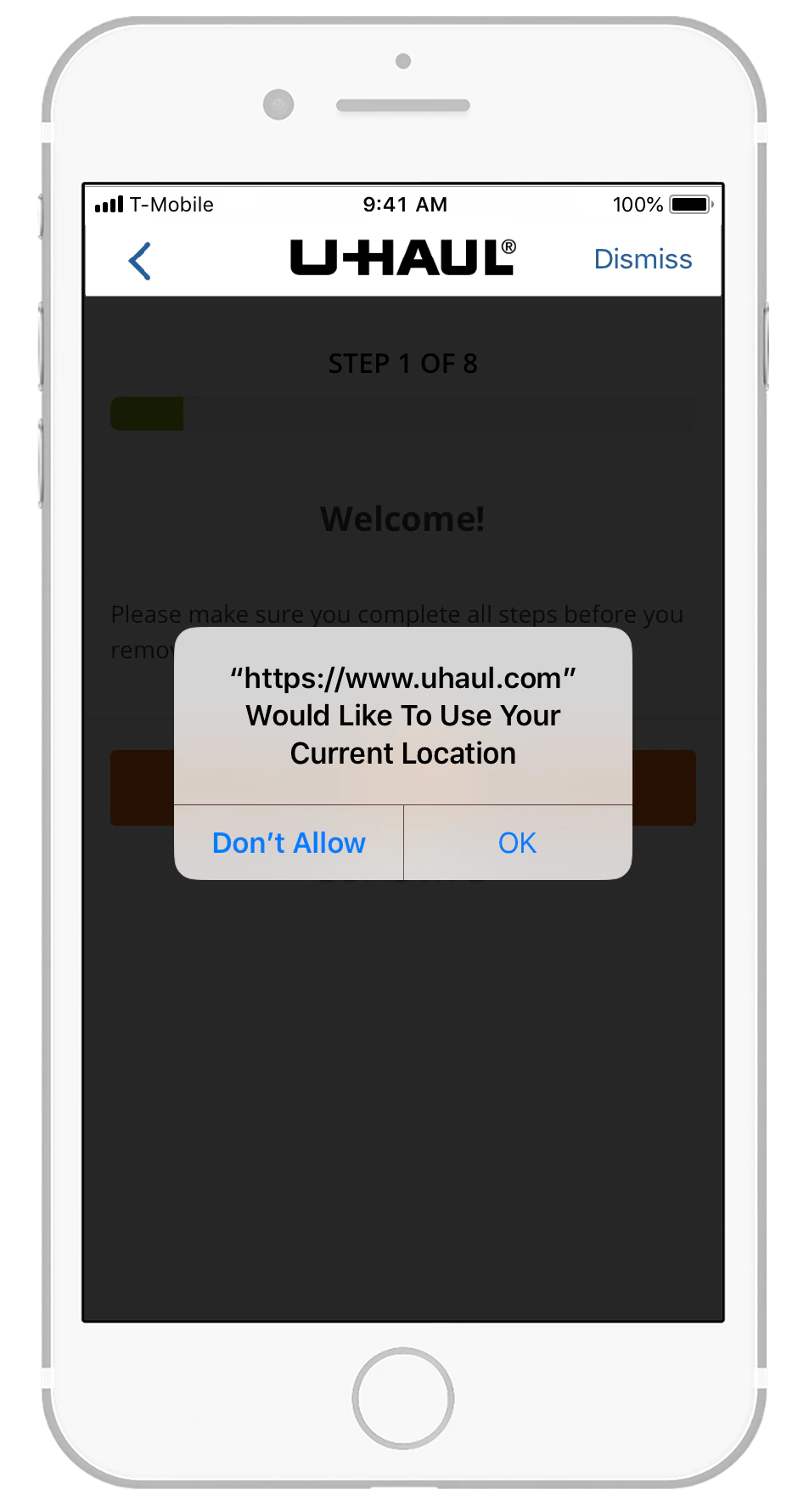
Step 1: Location Access
Description
Pop Up window requesting permission to have access to the phone’s GPS locator.
Feedback
We assume that the need to have access to my location was to ensure that I indeed was at the van’s pick-up spot.
What would have happened if I didn’t allow access to my location?
Recommendation
Indicate that permission to access location is required by adding it to the screen.
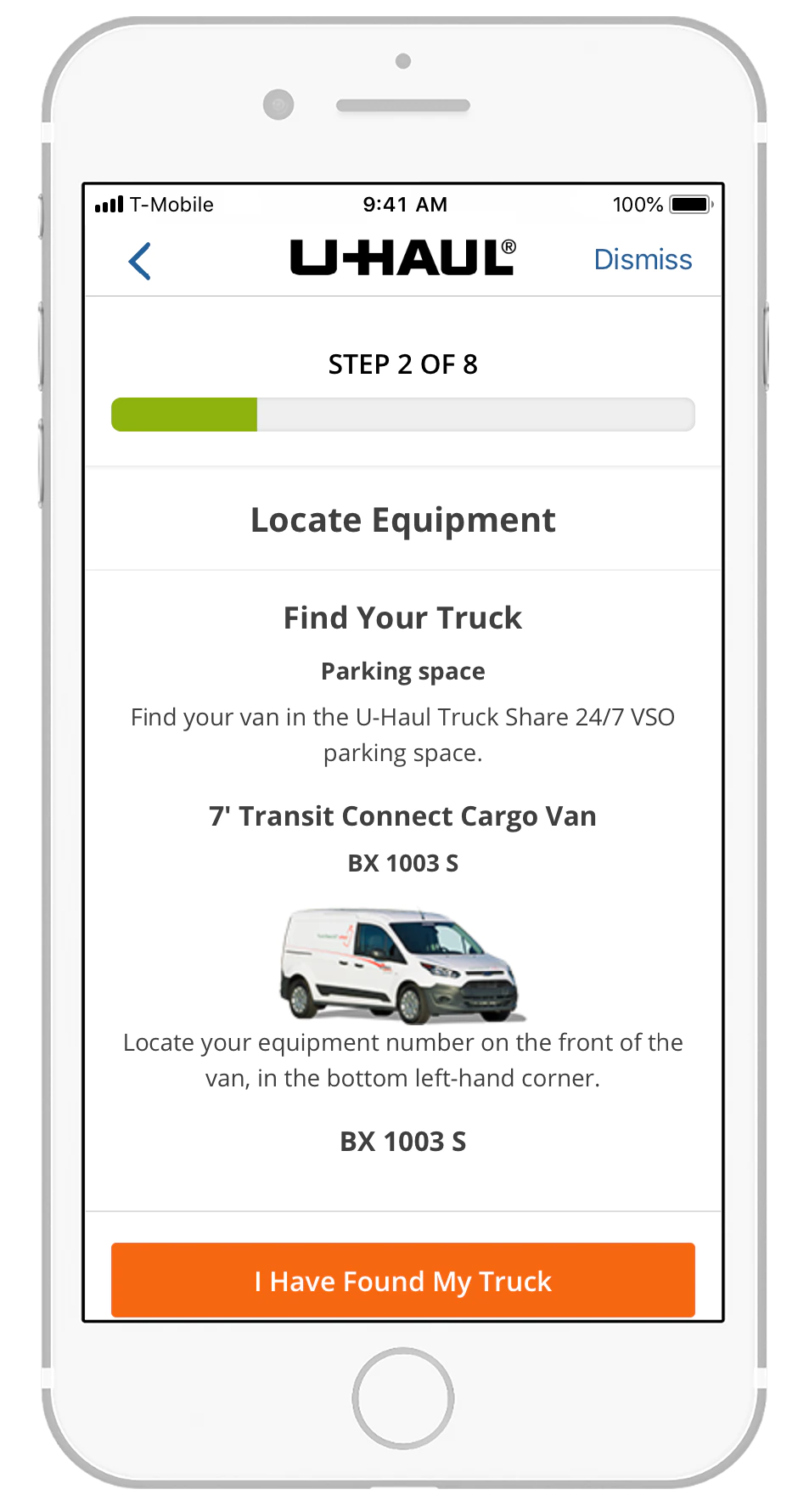
Step 2: Locate Equipment
Description
This screen provides instructions for locating the assigned vehicle, including the vehicle type and its identifying equipment number displayed on the front left side of the van.
Feedback
The instructions are clear; however, relying solely on the equipment number located on the left side of the vehicle may require customers to step into the street or navigate between closely parked vans, depending on the parking configuration.
Recommendation
Include the vehicle’s license plate number as an additional identifier. Customers are already accustomed to using license plates in rideshare apps, making this a familiar and reliable verification method.
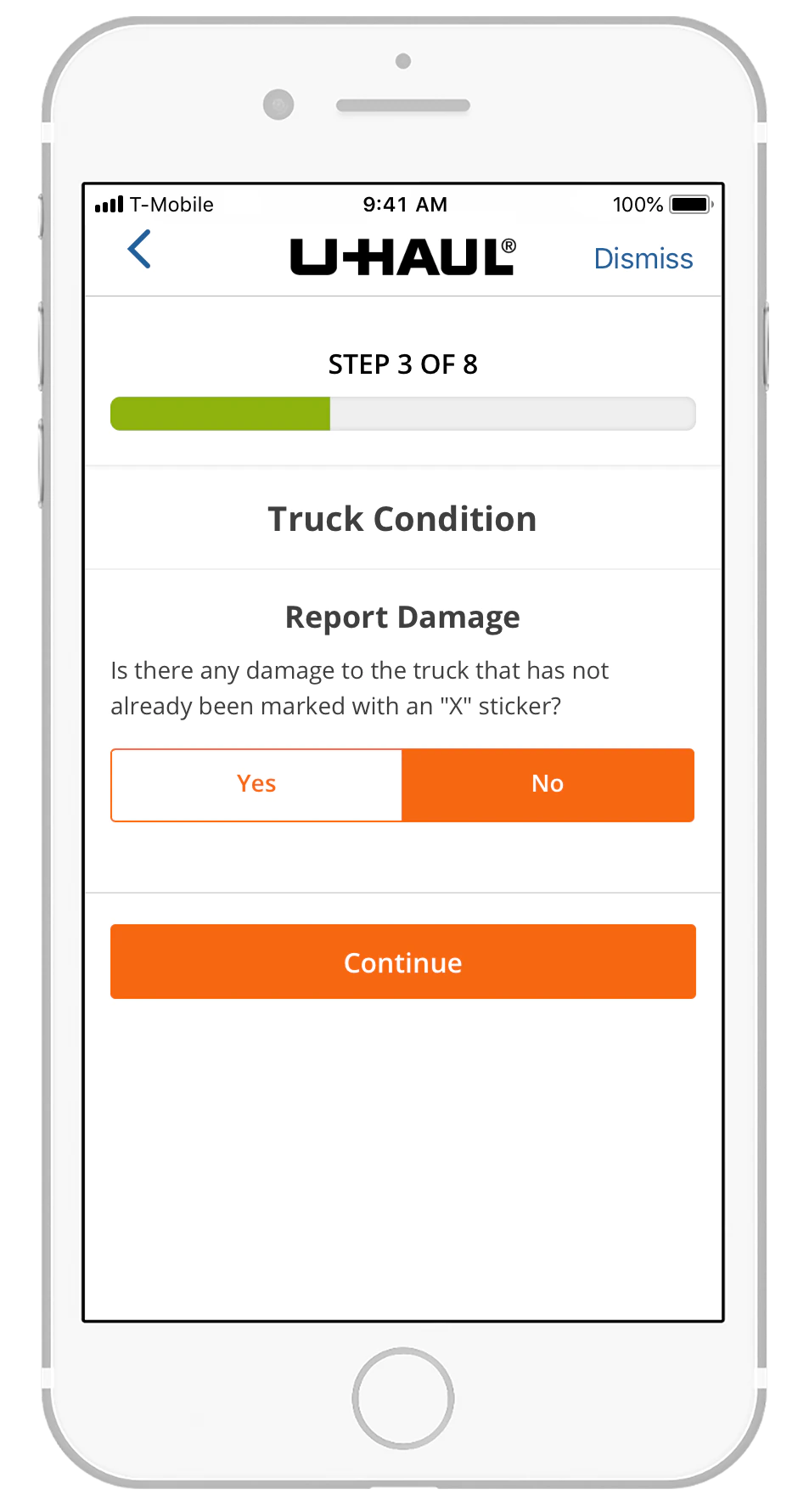
Step 3: Truck Condition Report
Description
Customers are asked to report any unmarked damage by selecting “Yes” or “No” before proceeding.
Feedback
This step is essential for documenting vehicle condition. However, identifying minor scratches or dents can be challenging in low‑light conditions.
Recommendation
No changes recommended.
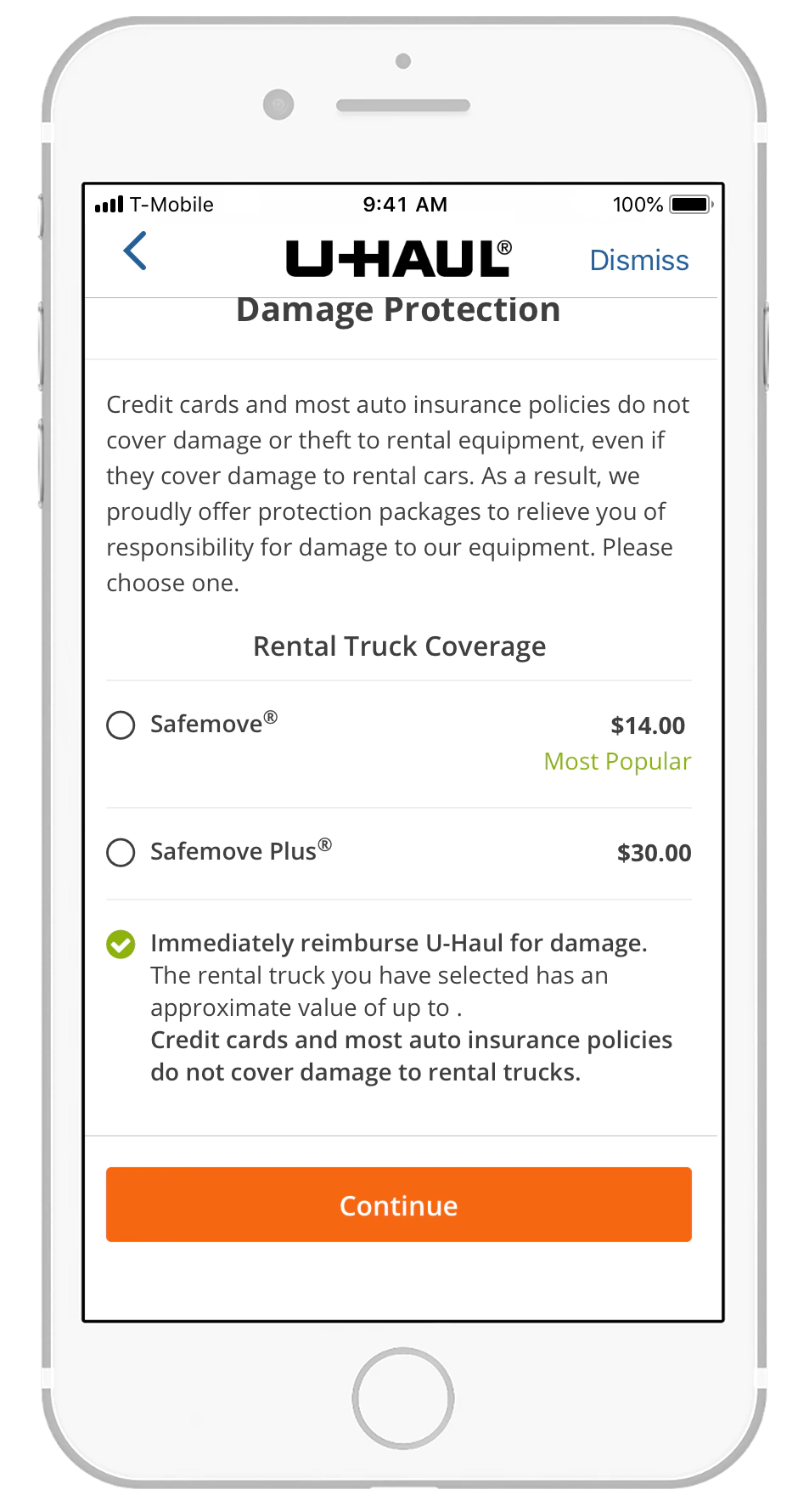
Step 4: Damage Protection Options
Description
The app presents available damage protection packages, including Safemove® and Safemove Plus®, along with a summary of coverage and pricing.
Feedback
This is a necessary and revenue generating step. The information is clearly presented and easy to understand.
Recommendation
No changes recommended.
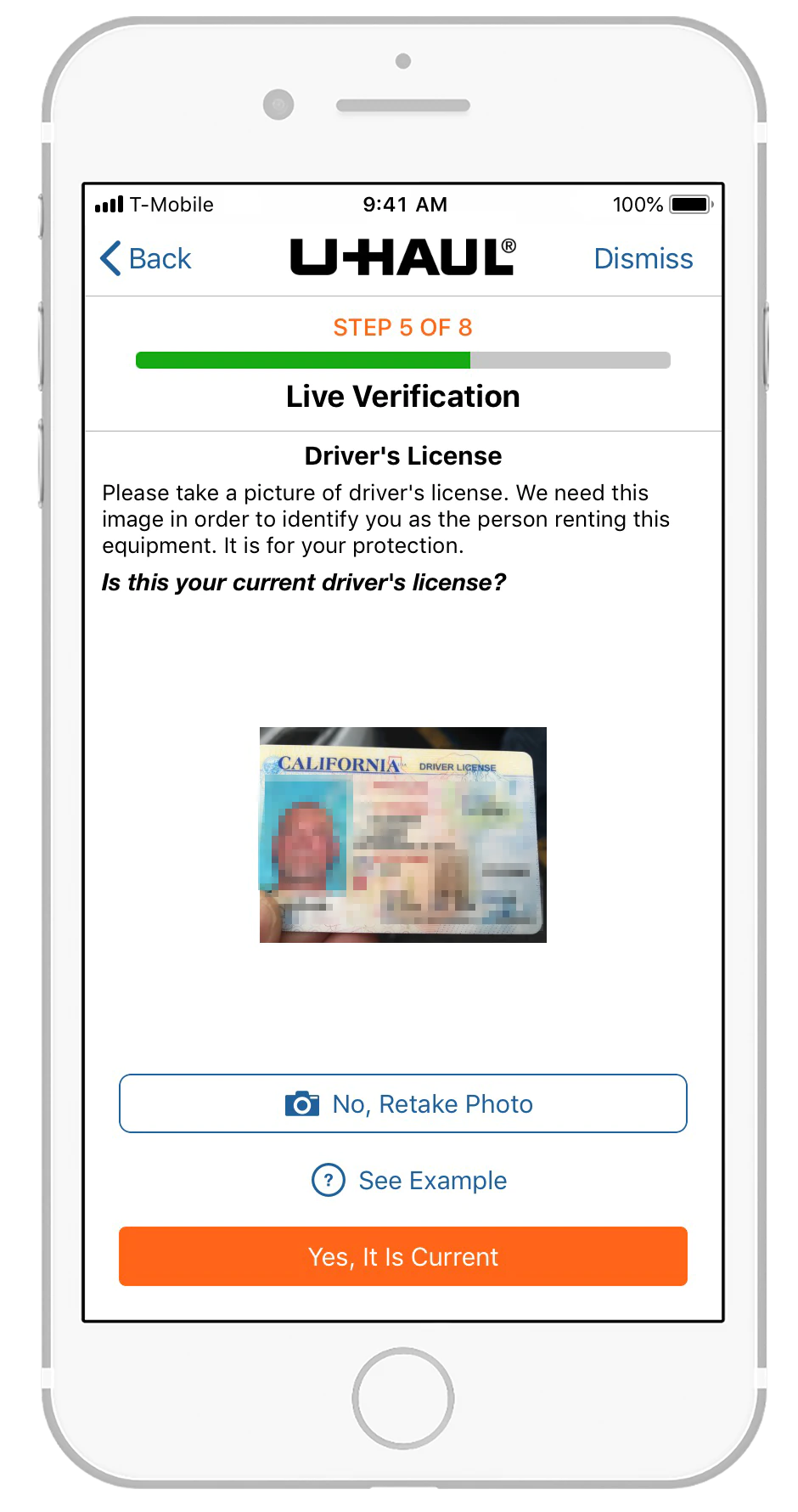
Step 5: Driver’s License Photo
Description
The app instructs the customer to take a photo of their driver’s license for identity verification.
Feedback
Customers who have previously rented may not understand why they must submit a new license photo for each rental.
Recommendation
Capture and store the driver’s license image during account creation or the first rental.
For subsequent rentals, compare the customer’s selfie to the stored license photo to streamline verification.
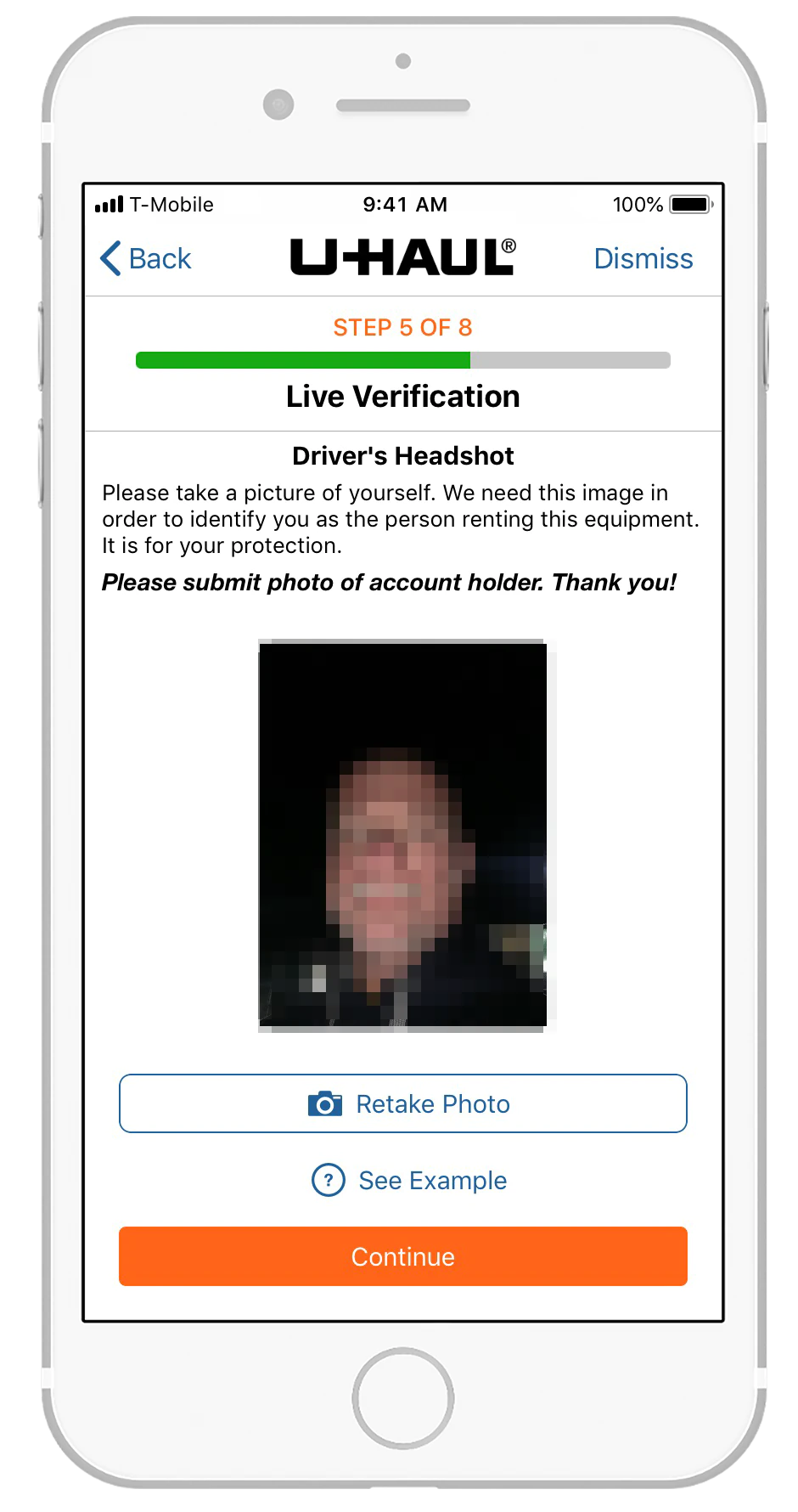
Step 5: Selfie Verification
Description
The app prompts the customer to take a headshot photo to confirm identity.
Feedback
New users may find this step confusing, especially if they are accustomed to biometric verification methods such as fingerprint or facial recognition on their mobile devices.
Recommendation
Provide clearer guidance explaining why a selfie is required and how it is used for identity verification.
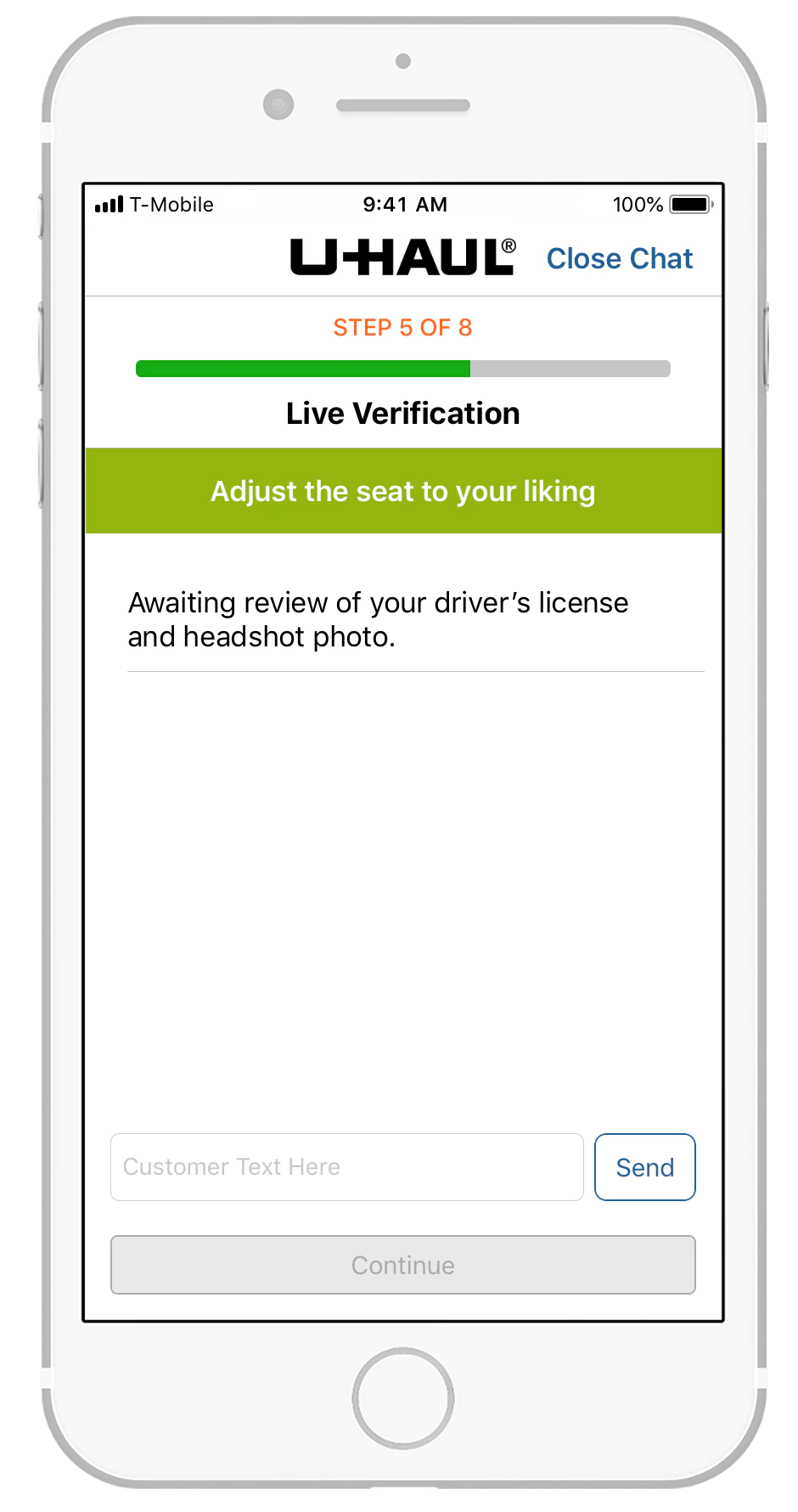
Step 5: Awaiting Authentication
Description
The app displays a waiting screen while the submitted photos are reviewed by a live verification agent.
Feedback
The first photo failed authentication, requiring a second submission. The overall verification process took approximately six minutes, which feels lengthy.
Recommendation
Reduce authentication time as agents gain experience. Faster verification is critical to improving the overall pick‑up experience.
Step 5: Photo Mismatch Notification
Description
The app requests a new photo after determining that the initial selfie did not match the driver’s license image.
Feedback
The screen appears without explanation, leaving the customer unsure why another photo is required.
Recommendation
Provide a clear message indicating that the previous photo did not match and instruct the user to retake the image for verification.
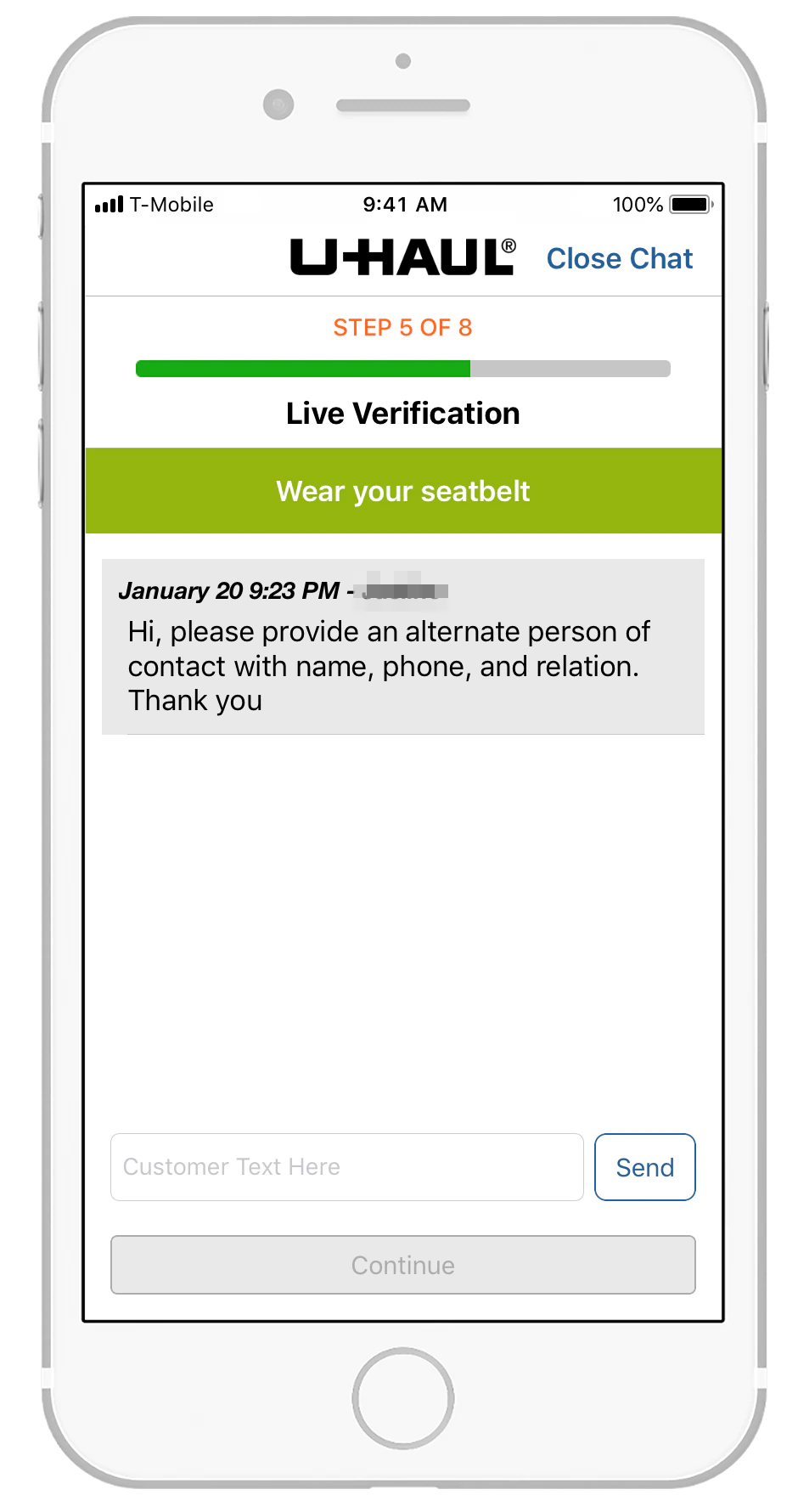
Step 5: Emergency Contact Request
Description
During verification, the agent requests an emergency contact, including name, phone number, and relationship.
Feedback
Requesting an emergency contact is reasonable; however, this information should be collected during account setup rather than during each rental.
The customer should only be asked to confirm whether the stored contact is still valid.
Recommendation
Move emergency contact collection to account creation. During rentals, simply confirm whether the existing contact remains accurate.
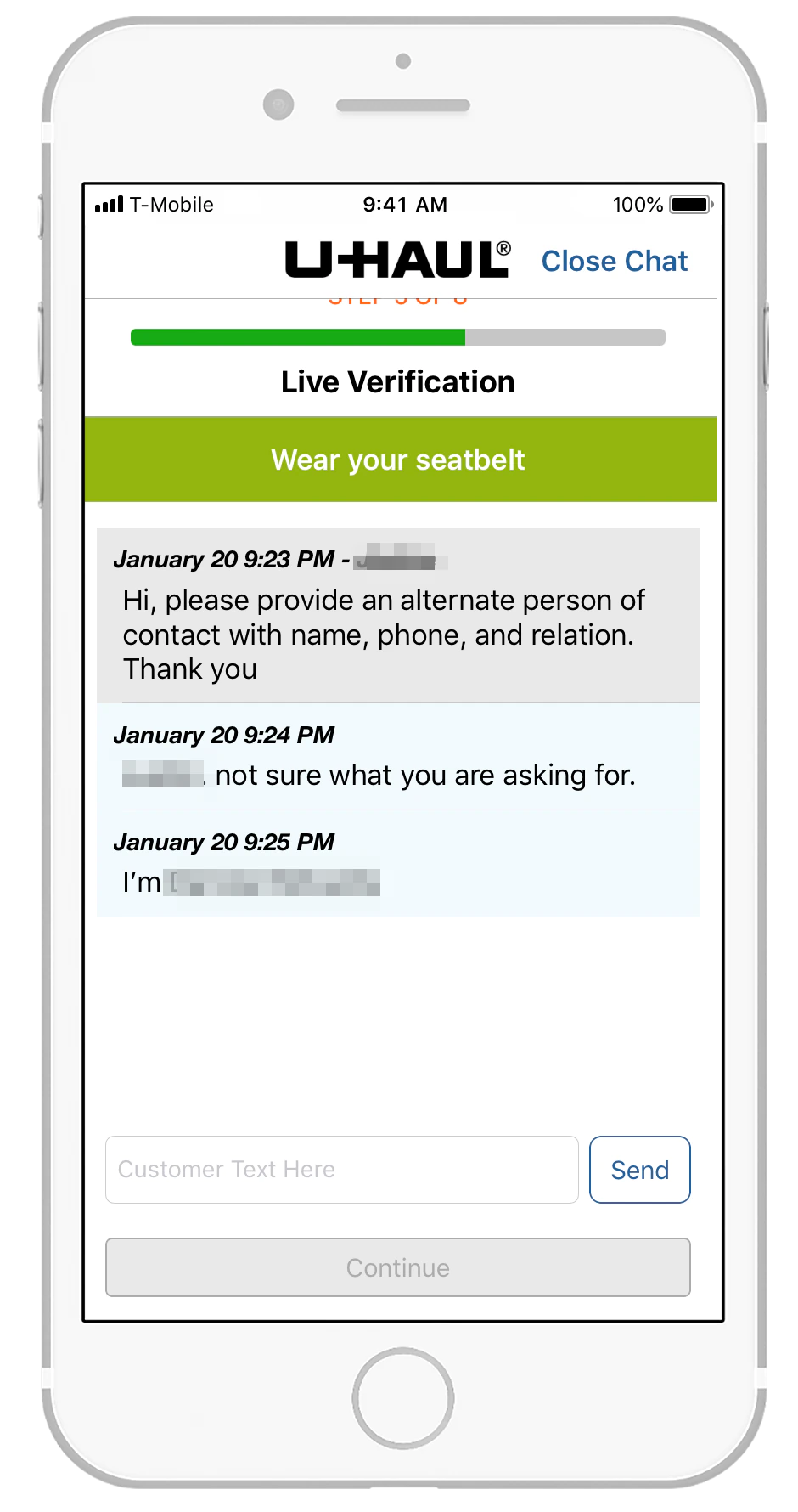
Step 5: Clarifying Emergency Contact Request
Description
The customer asks the agent for clarification regarding the emergency contact request.
Feedback
The agent did not clearly explain the purpose of the request or that the contact would be called in real time.
Recommendation
Agents should explicitly state that they are requesting an emergency contact, explain why it is needed, and inform the customer that the contact will be called immediately for verification.
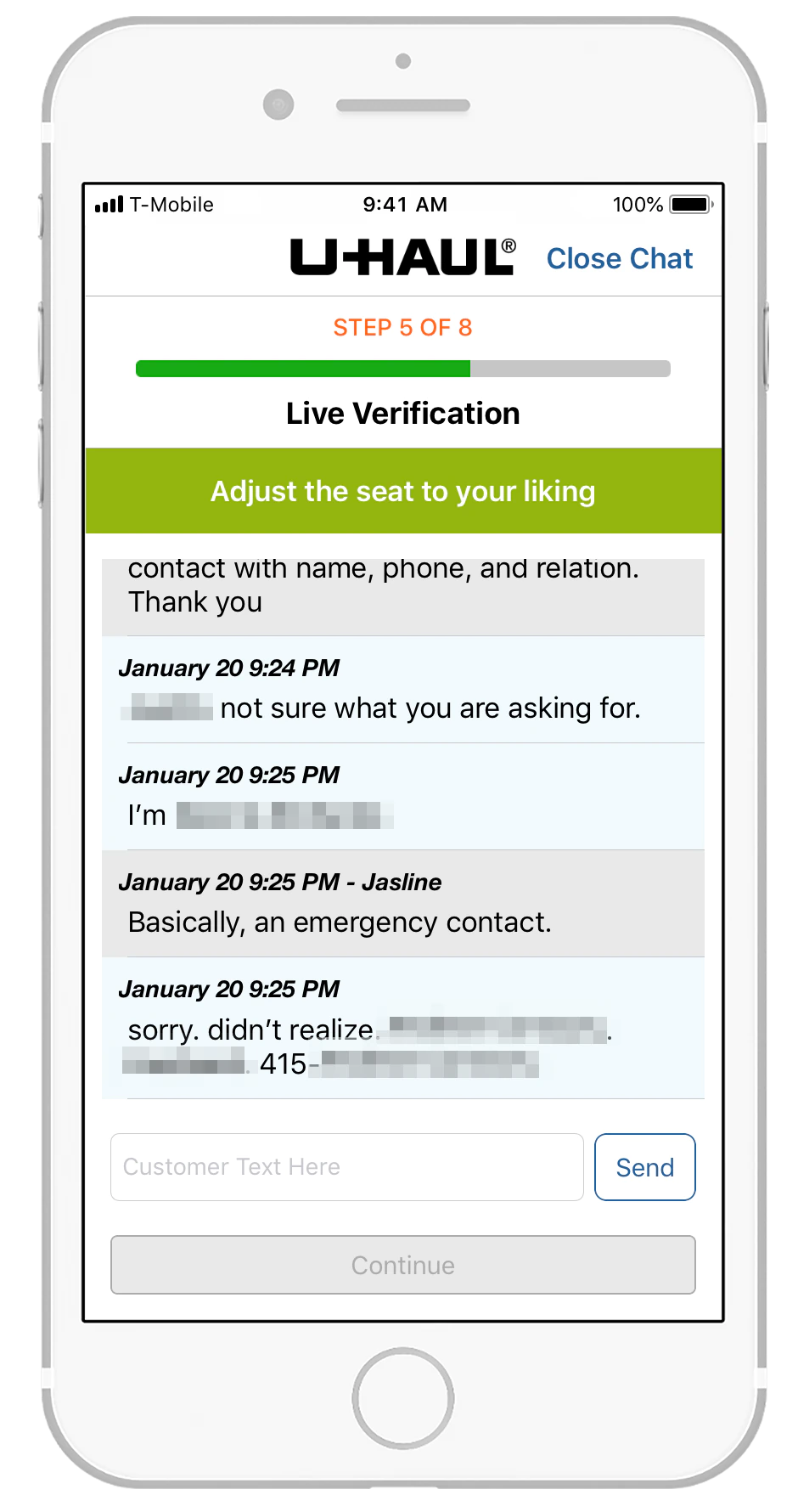
Step 5: Emergency Contact Provided
Description
The customer provides the emergency contact information, and the agent acknowledges receipt.
Feedback
The customer was unaware that the emergency contact would be called immediately. This raises concerns about privacy, practicality, and rental eligibility if the contact does not answer.
Recommendation
Reevaluate the necessity of real‑time emergency contact calls. Unless there is a compelling reason, discontinue this practice to avoid privacy concerns and potential rental disruptions.
Step 5: Chat Conversation Ends
Description
The chat conversation concludes, and the customer proceeds after waiting without further instruction.
Feedback
The agent did not indicate that the verification process was complete, leaving the customer unsure whether to continue.
Recommendation
Agents should clearly signal when the conversation is finished and instruct the customer to press “Continue” to proceed.
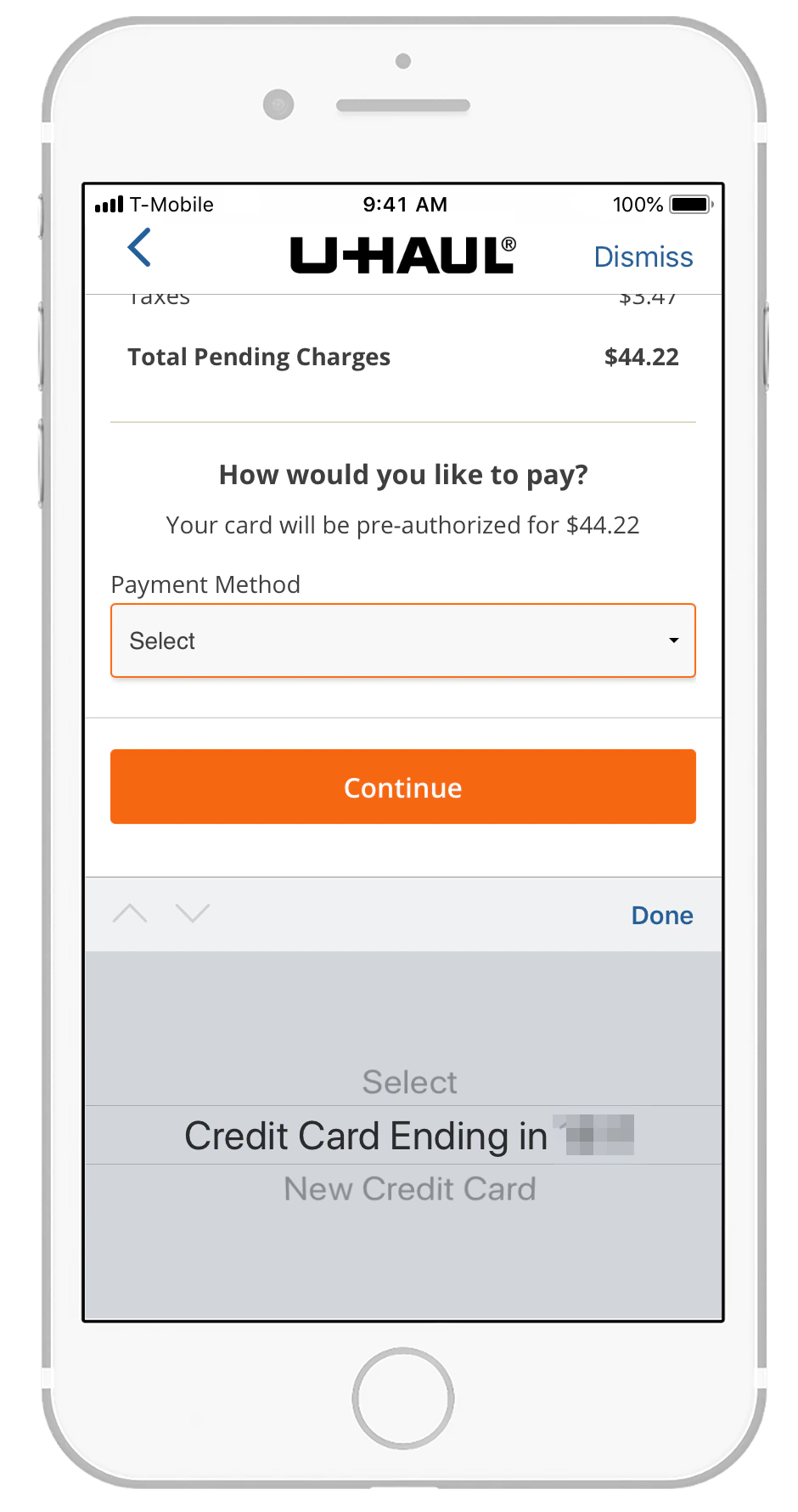
Step 6: Payment Method
Description
The app displays pending charges and prompts the customer to select a payment method.
Feedback
The stored payment method from a previous rental is conveniently available, eliminating the need to re‑enter card details.
Recommendation
No changes recommended.
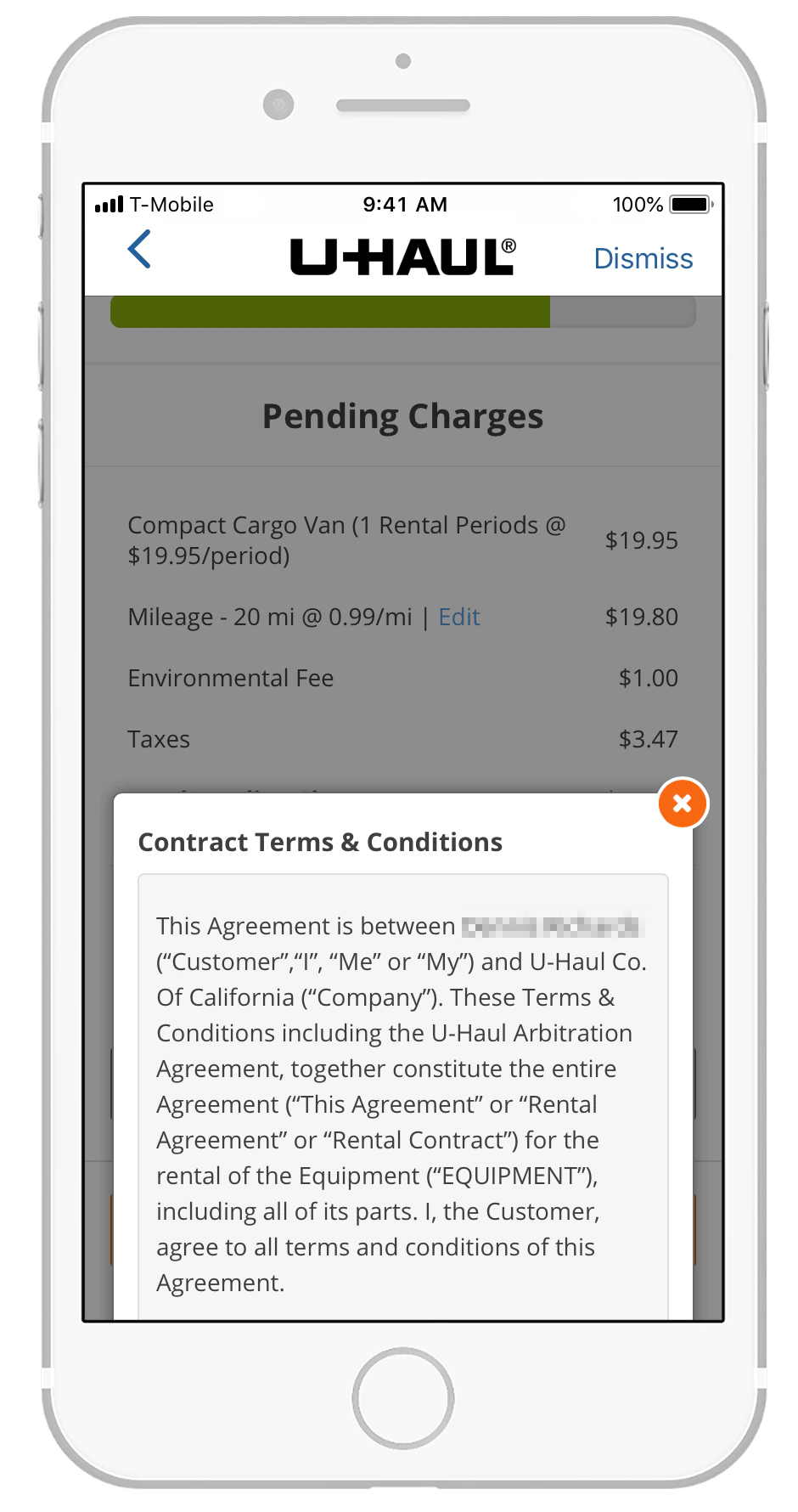
Step 6: Terms & Conditions
Description
The customer is presented with the full rental agreement, including terms, conditions, and legal disclosures.
Feedback
The terms are extensive, and reviewing them during pick‑up is impractical.
Most customers will simply accept them to proceed.
Recommendation
Present the terms and conditions during account creation and store acceptance.
At pick‑up, display a brief notice confirming that previously accepted terms still apply, with an option to review if desired.
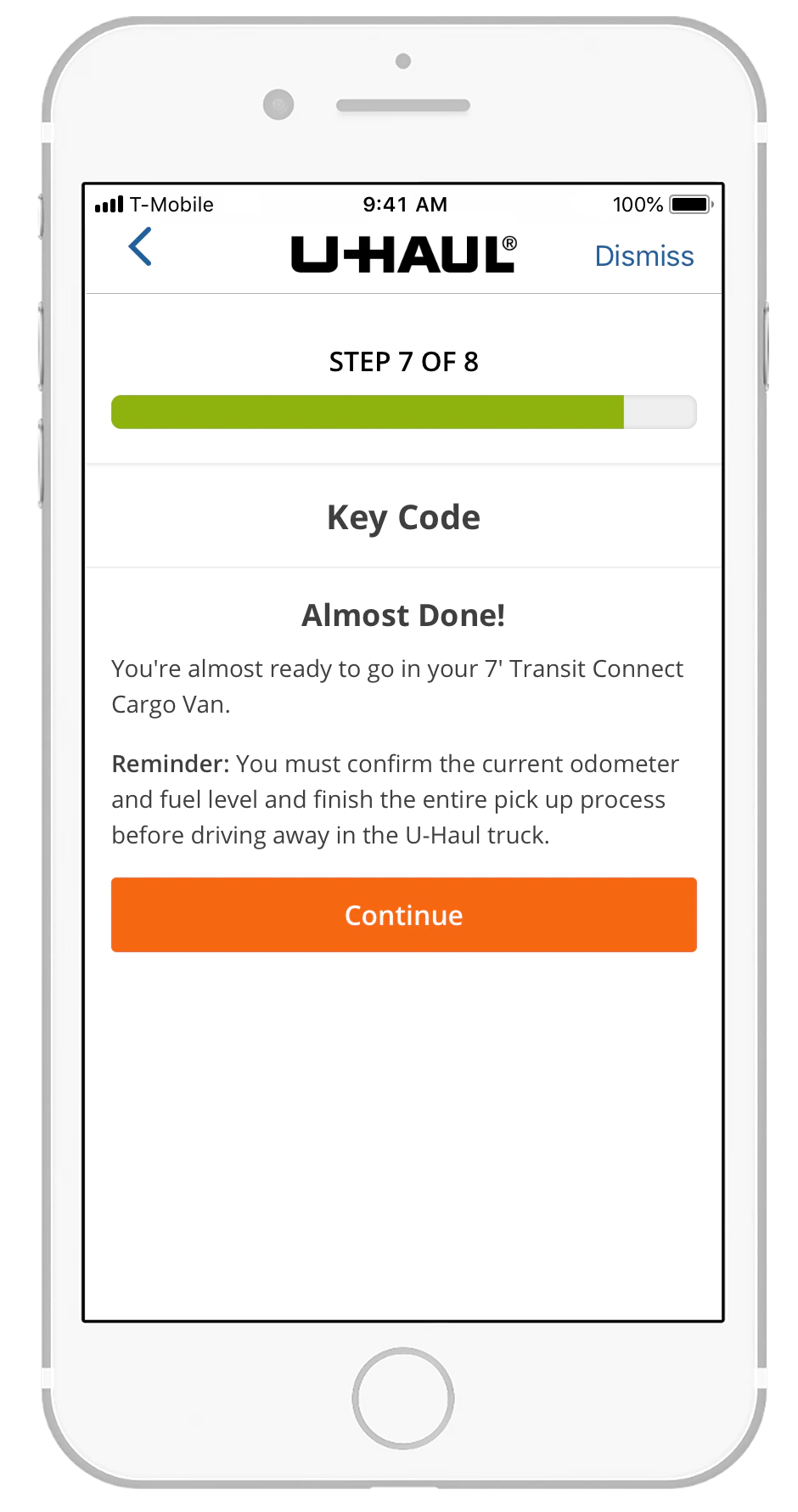
Step 7: Key Code Introduction
Description
A preliminary screen informs the customer that they are nearing completion and reminds them to confirm mileage and fuel levels.
Feedback
This screen is redundant and does not add meaningful value.
Recommendation
Remove this step and merge its content into the subsequent screen that displays the actual key code.
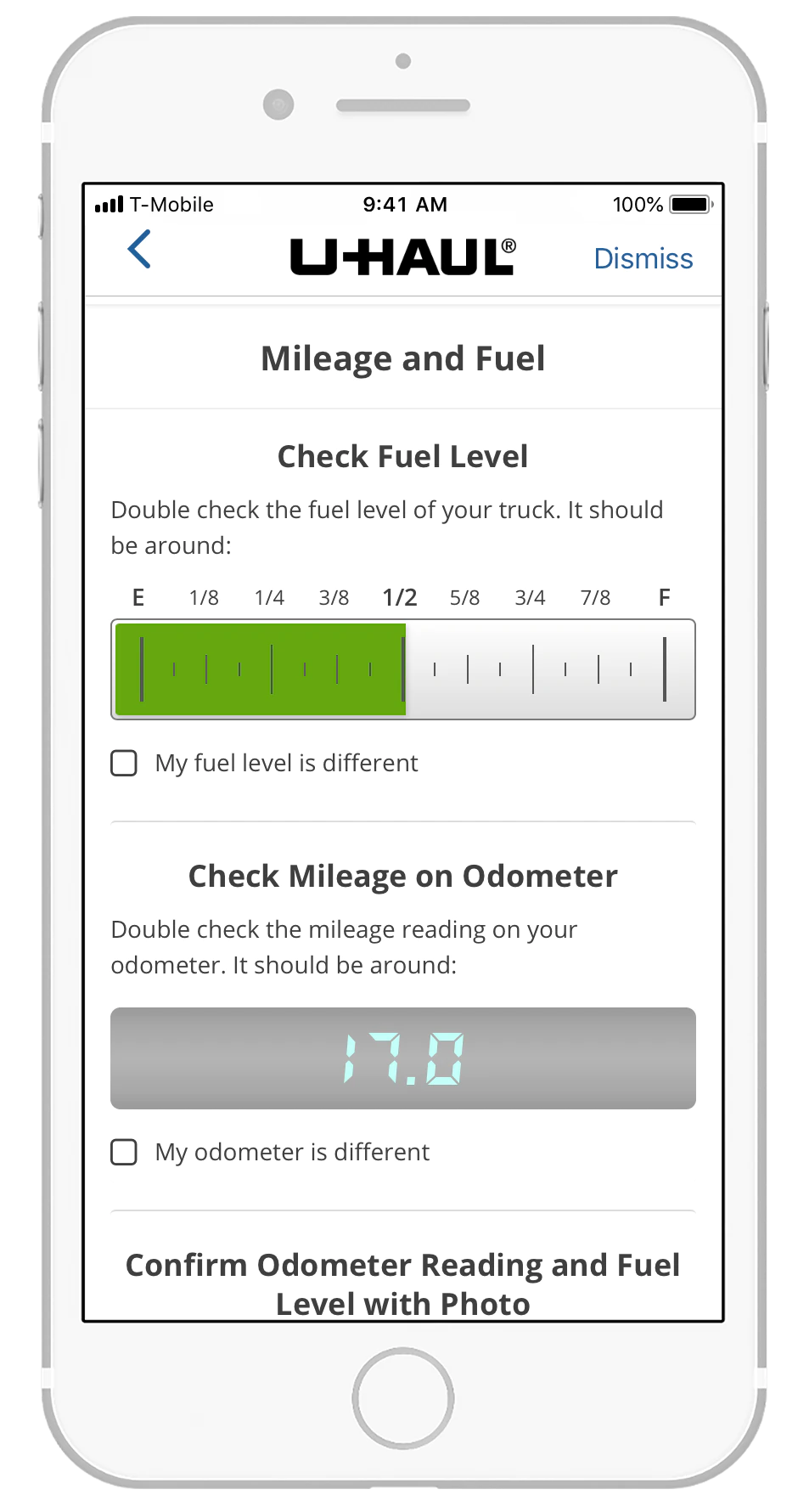
Step 8: Mileage & Fuel Check
Description
The app instructs the customer to verify the fuel level and odometer reading and report discrepancies.
Feedback
This step is necessary due to the absence of on‑site staff; however, it adds manual effort to the process.
Recommendation
Explore digital solutions such as vehicle sensors that automatically transmit mileage and fuel data to the app, reducing steps and improving accuracy.
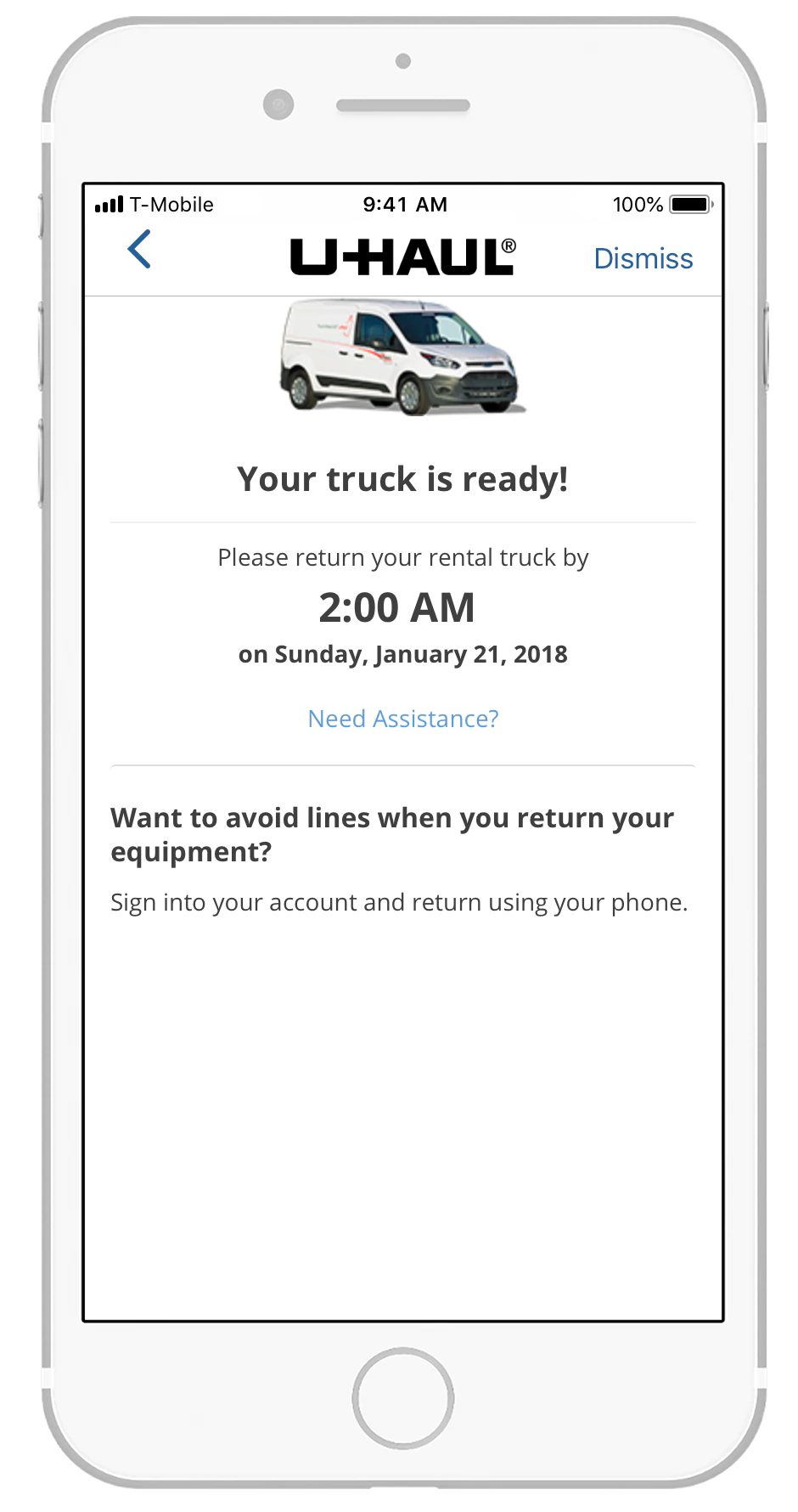
Rental completed
Description
The truck is ready.
Feedback
Find ways to automate the amount of time that it takes to Pick Up a van which is probably in line with the user/member’s expectations.
Recommendation
Explore digital solutions such as vehicle sensors that automatically transmit mileage and fuel data to the app, reducing steps and improving accuracy.
“This is a major security gap in the process. The lock combination can be passed from one user to another before U‑Haul staff have a chance to change it.”
– Direct observation from the live pick-up audit, Step 7 (Key Code)
CONCLUSION
The opportunity is real, and the path forward is clear.
U-Haul Vanshare has the right idea: self-service, mobile-first, urban van rental is an underserved market with genuine demand. With targeted investment in QA rigor, digital key access, streamlined identity verification, and return-flow reliability, the pick-up experience could realistically be reduced from 18 minutes to under 4 — making it competitive with any car-share product on the market.